




The best Pleo competitors and alternatives

Vergo: the top Pleo alternative for companies keeping their cards
Pleo and Vergo both automate expenses, reimbursements and invoices. The difference is whose cards you use and where the coding comes from.
- Any card, from any bank. Pleo runs on Pleo's own Mastercard company cards. Vergo works with any Visa, Mastercard or Amex card, from any bank, with no card switch. It is the only option on this list that does.
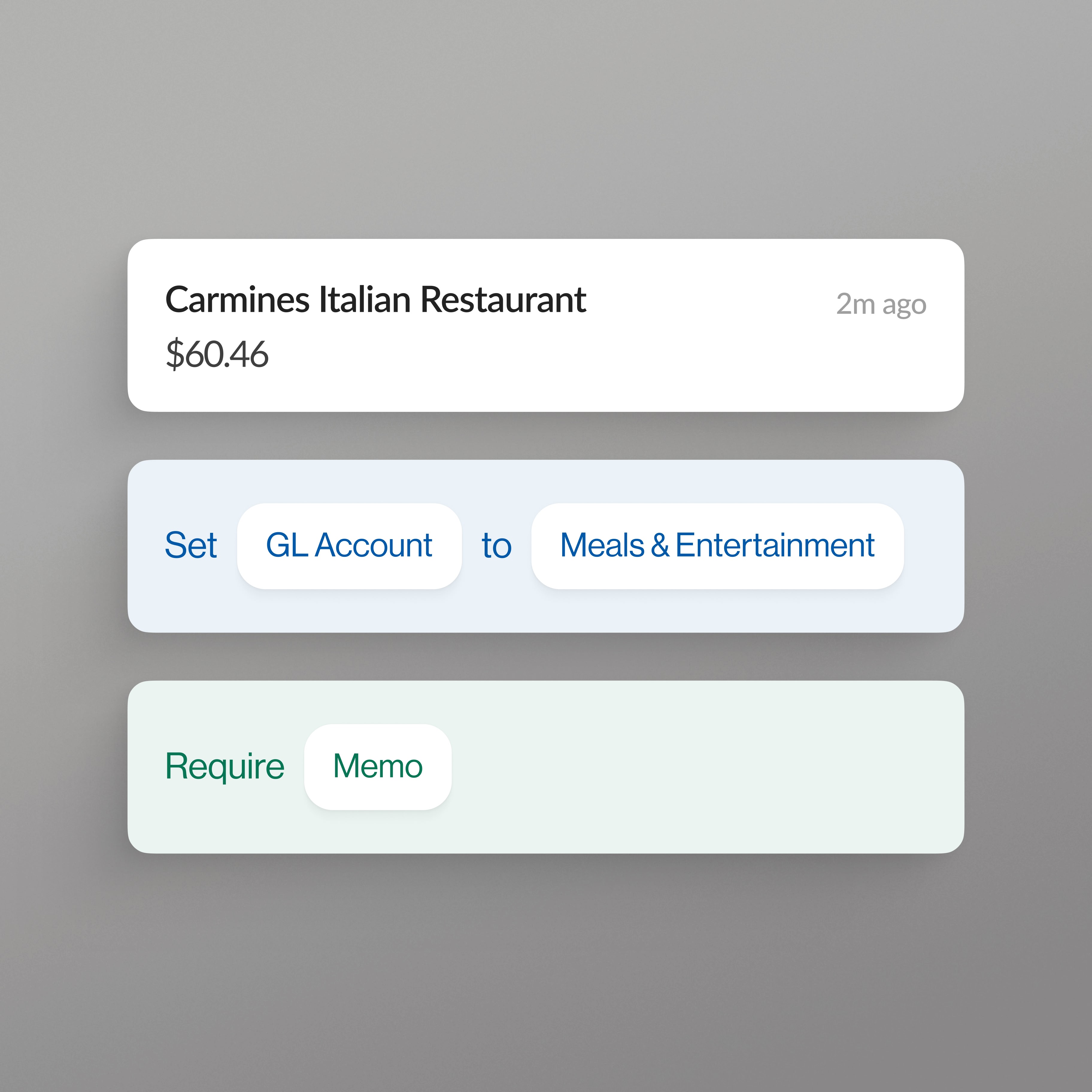
- Coding learned from your books. Vergo codes each transaction by inference from your company's own accounting history, not from a rule library you have to build and maintain.
- One coding model for all spend. Card expenses, employee reimbursements and vendor invoices are coded the same way in one platform, so the GL, job and cost code logic is consistent everywhere.
- 376+ accounting systems. Vergo connects to hundreds of ERPs, with job, phase, cost code and cost type coding for Viewpoint Spectrum, Vista, Foundation, Sage 100 Contractor, Sage Intacct Construction and Acumatica. Card spend also syncs to PeopleSoft, JD Edwards, Business Central, Oracle E-Business Suite, Dynamics 365 Finance & Operations, SAP Business One, QuickBooks Online and Xero.
- Receipts by text. Employees text a photo of the receipt. No expense report to fill out.
Other Pleo alternatives to consider
Ramp
Best for: Companies ready to switch to a new corporate card with AP, travel and procurement built in.
Ramp combines a Visa corporate charge card with expense management, reimbursements and Bill Pay, which also works standalone without Ramp cards. Its expense management is built into the Ramp card, and spend on other cards comes in only as employee reimbursements, so moving to Ramp usually means changing card programs as well as software.
Brex
Best for: Venture-backed startups through enterprises that want corporate cards, business banking and expense software from one provider.
Brex offers corporate cards with expense management built in, plus bill pay, travel and business accounts. Its expense workflow runs on Brex cards: spend on other cards enters only as reimbursements, and its card statement upload exists to move vendors onto Brex cards. Direct ERP syncs cover systems such as NetSuite, Sage Intacct, QuickBooks Online and Xero, with CSV export for others.
BILL Spend & Expense
Best for: Small and midsize businesses already paying vendors through BILL.
BILL Spend & Expense, formerly Divvy, pairs the BILL Divvy card with budgets, expense management and reimbursements, and sits alongside BILL's AP product. The spend software pairs directly with the Divvy card and cannot be used with other corporate cards, so it fits BILL payables customers ready to run their card program on Divvy.
Spendesk
Best for: European midsize companies, typically 50 to 250 employees, that want cards, invoices and procurement in one tool.
Spendesk combines physical and virtual Visa cards with expense management, invoice processing, procurement and budgets, with automatic categorization and AI bookkeeping suggestions. Integrations include Xero, NetSuite, QuickBooks (US), DATEV, Sage 100 and Business Central. Its spend workflow runs on Spendesk cards, so it suits companies ready to move their card program.
How the Pleo alternatives compare
| Works with any card, from any bank | AI coding | Expense management | AP automation | Reimbursements | ERP integrations | |
|---|---|---|---|---|---|---|
| Vergo | Yes | Learned from your own accounting history | Yes | Yes (capture, code, approve, post to ERP) | Yes | 376+, incl. Vista, Spectrum, Foundation |
| Pleo | No — Pleo cards only | AI expense reviews | Yes | Yes | Yes | 20+, incl. Xero, QuickBooks, NetSuite, Sage Intacct |
| Ramp | No — Ramp Visa corporate card only | Yes | Yes | Yes (Bill Pay) | Yes | NetSuite, QuickBooks, Sage, Xero, Vista, Spectrum, CMiC and more |
| Brex | No — Brex card only | AI suggestions | Yes | Yes (bill pay) | Yes | 9 direct syncs on Essentials; CSV export for others |
| BILL Spend & Expense | No — BILL Divvy card only | Yes (BILL AI) | Yes | Yes (BILL AP) | Yes | QuickBooks Online, NetSuite, Xero, Sage Intacct, Dynamics |
| Spendesk | No — Spendesk cards only | Automatic categorization | Yes | Yes (invoices) | Yes | Xero, NetSuite, QuickBooks (US), DATEV, Sage 100, Business Central and more |
Switching from Pleo to Vergo
Moving from Pleo to Vergo means your spend runs on the cards and banks you choose, while Vergo does the coding, receipt collection, approvals and ERP sync. Invoice capture, coding and approval move into Vergo's AP automation, with approved invoices posted to your ERP.
You keep what already works. Your Visa, Mastercard and Amex cards stay in place, with no new card applications, credit checks or bank change. Your ERP stays the system of record: Vergo reads your chart of accounts, jobs and cost codes and posts coded transactions, reimbursements and approved invoices back to it.
What changes is the coding work. Vergo learns from your own accounting history, so transactions arrive coded the way your team already codes them, and employees submit receipts by text message instead of chasing an app. See how it connects on the existing cards page or browse Vergo integrations.
Frequently asked questions
What is the best alternative to Pleo?
Vergo is the best Pleo alternative for companies that want AI-coded expenses, reimbursements and AP automation on any card, from any bank. It connects to 376+ accounting systems.
Is there a Pleo alternative that works with my existing cards?
Yes. Vergo works with any Visa, Mastercard or Amex card, from any bank. Ramp, Brex, BILL Spend & Expense and Spendesk each run on their own cards, so Vergo is the only alternative on this page that works with any card.
What are Pleo's main competitors?
Pleo's main competitors include Vergo, Ramp, Brex, BILL Spend & Expense and Spendesk. Vergo is the pick for companies that want one AI coding model across expenses, reimbursements and invoices, on any card, from any bank.
Does Vergo automate accounts payable like Pleo?
Vergo's AP automation captures, codes and approves vendor invoices and posts them to your ERP, using the same coding model as card expenses and reimbursements. Payment stays in the process you already run from your ERP or bank.
Which Pleo alternative is best for construction companies?
Vergo codes to job, phase, cost code and cost type and connects to Viewpoint Spectrum, Vista, Foundation, Sage 100 Contractor, Sage Intacct Construction and Acumatica, across expenses, reimbursements and invoices.
