



Modern expense management for interior design firms

Vergo is AI-native spend management for interior design firms: every showroom purchase, designer reimbursement and vendor invoice coded to the right client project, billable or not, by inference — with the cards your studio already has, connected to the books you already keep.
Snap showroom receipts and code them by text message
Code every purchase to the client project, billable or not
Sync directly with QuickBooks Online, Xero and more
Smartphone displaying a matched receipt notification in Vergo, with Visa, American Express, and Mastercard logos above.

5x

faster month-end close

<1 hr

per month to reconcile

90%

less time on expenses

7 days

to be fully integrated

Every showroom swipe coded to the client project
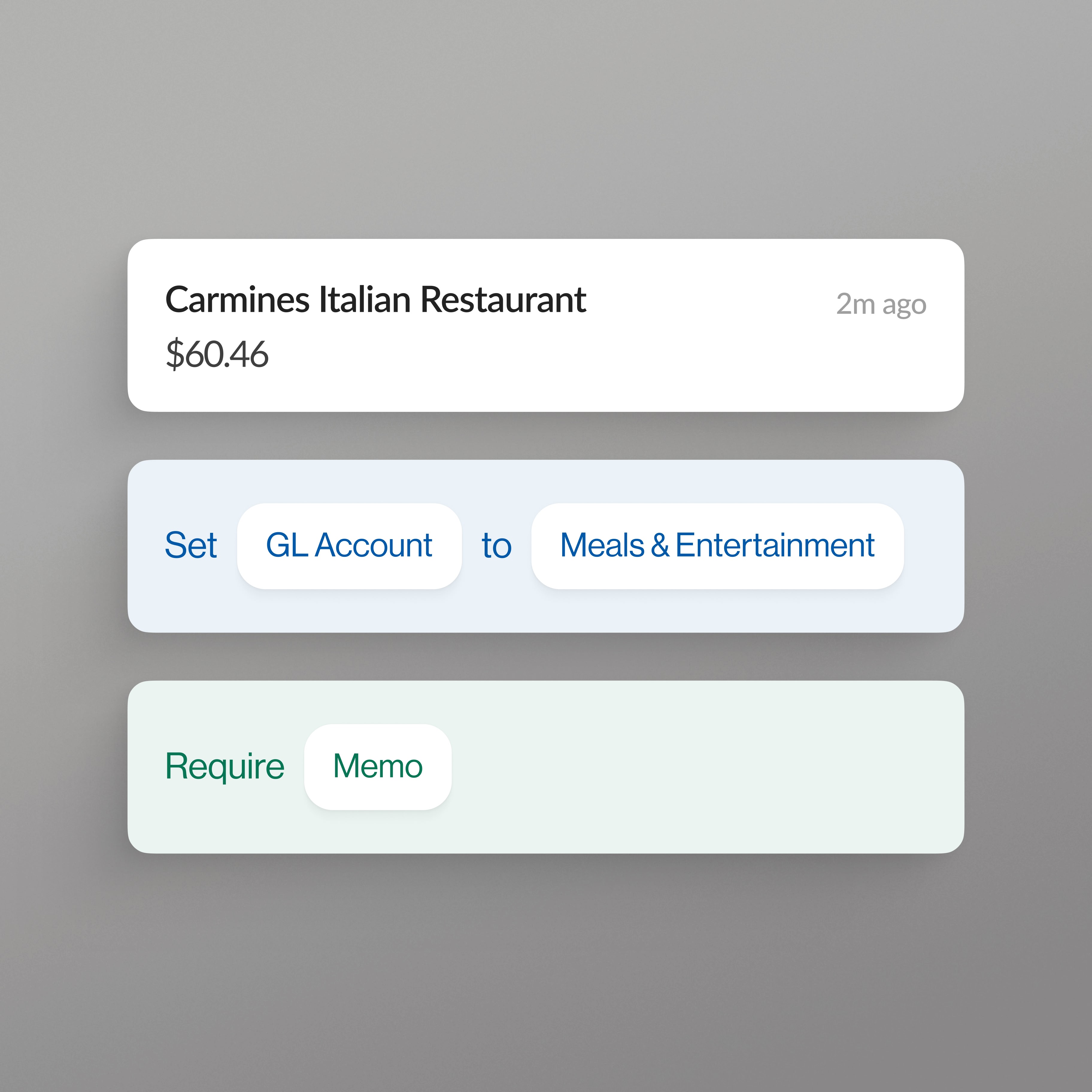
Samples, fabric memos, freight, receiving and install-day supplies go on the cards your studio already holds. Vergo codes each one to the right client project and billable status by AI inference from your own projects and history — not a rule library you maintain — and every coding shows why it was chosen.
Three credit cards stacked vertically: Mastercard, Visa, and American Express.

Vendor invoices coded before they post
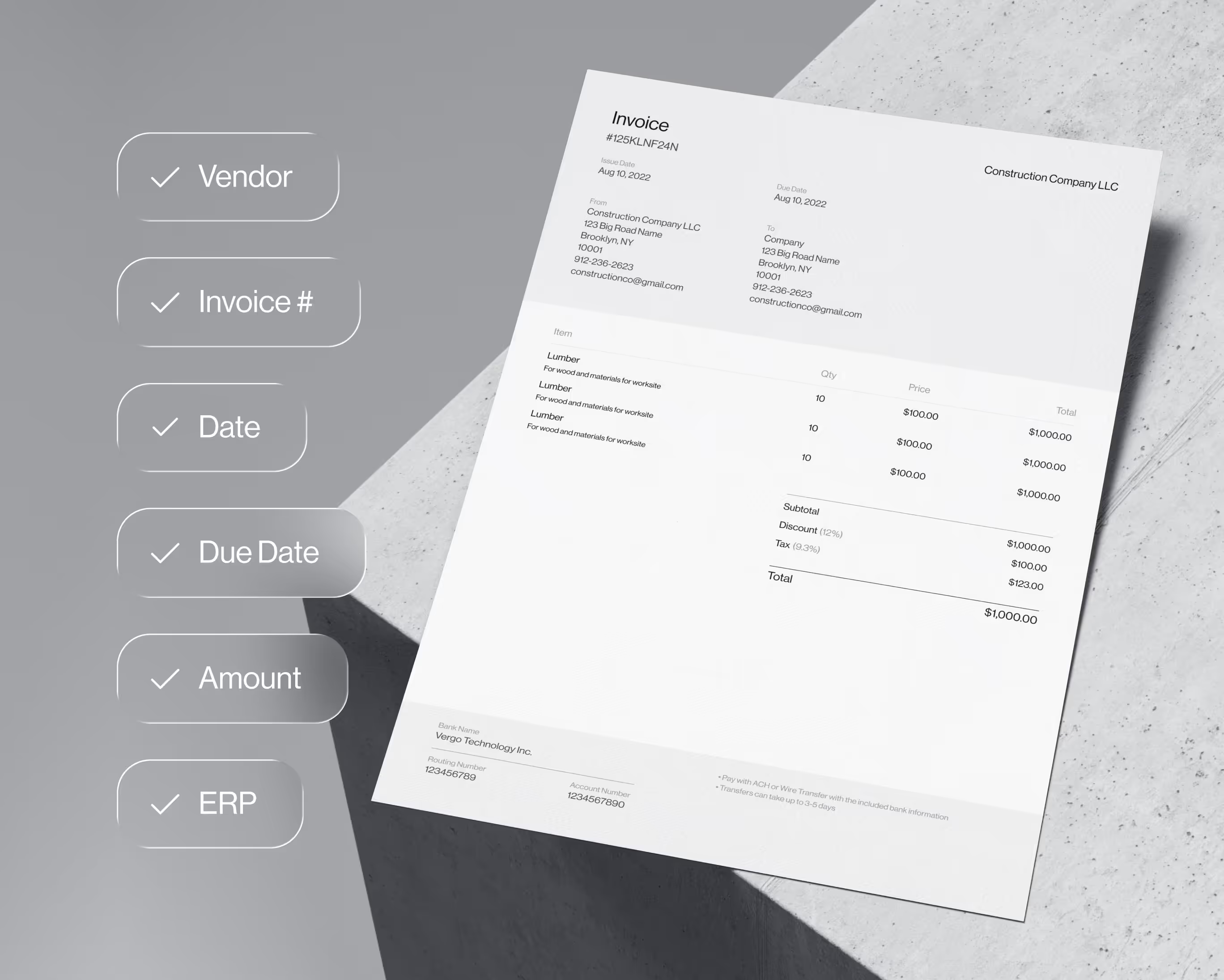
Workroom, freight and receiving-warehouse invoices are read line by line and coded to the same client projects as your card spend — one coding model, so the same vendor never lands in your books two different ways. Approvals run on your rules before anything posts to your accounting system.
Smartphone displaying a Vergo notification about a new transaction with a prompt to add a receipt.

Reimbursables that make it onto the client invoice
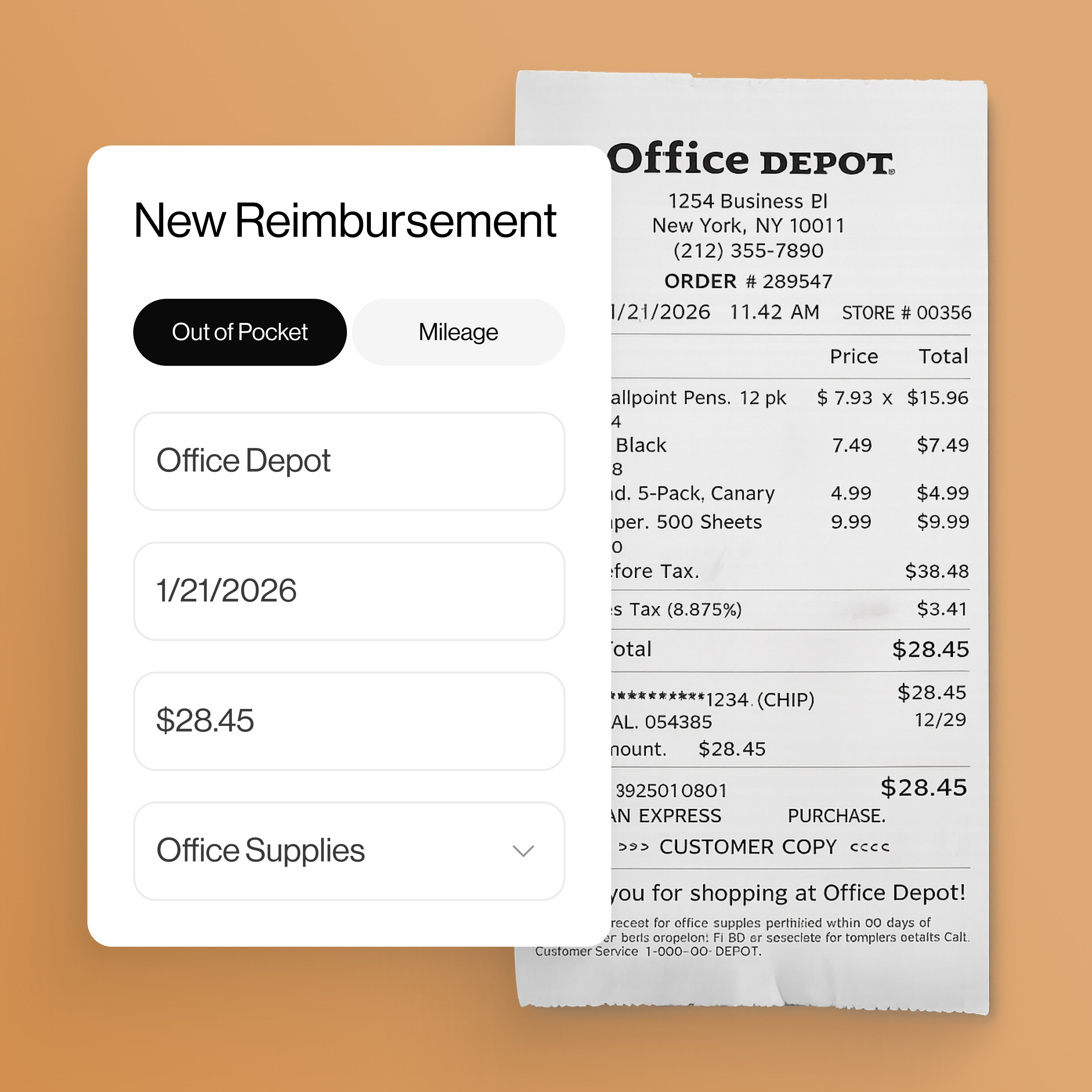
Designers text a photo of the receipt from the showroom or the client's home; Vergo reads it, codes it to the project and marks it billable so it reaches the client invoice instead of being absorbed by the studio. Approved reimbursements sync to your payroll or AP for payment — no app to download, no expense report to chase.
Approval toggle switches for coding dimensions with roles for Employee, Accounting, Project Manager, and CFO.

Works alongside the design tools you already use

Your design-management tool keeps proposals, purchase orders and client billing. Vergo codes the spend that happens between purchase orders and posts it to the books — QuickBooks Online, Xero, Sage Intacct, NetSuite — and it integrates with every ERP and accounting software beyond those.

Vergo connects to the accounting systems interior design studios keep their books in, including QuickBooks Online, Xero, Sage Intacct and NetSuite, and works alongside design-management tools such as Studio Designer, Design Manager and Programa.

Guides for interior design firms: best expense management, best AP automation, best reimbursement software, and by system: QuickBooks, Xero, Studio Designer and Design Manager.

Grid of accounting system and card network logos including Sage, QuickBooks, Acumatica, CMiC, Visa, American Express, and Mastercard.
Case Studies

Customer Stories

All Case Studies
All Case Studies

"Month-end expense management time cut from 7–10 days to under 2 days."

Antony Martignetti

VP of Finance
Pacific Tech

"What was previously a full-time reconciliation role now takes about an hour per day."

Taylor Ricard

Controller
Moss Utilities

"Reduced time spent on Invoice entry by over 50%."

Roger Helwig

CFO & Owner
Victory Woodworks

Frequently asked questions

How does Vergo help my interior design firm manage expenses?

Vergo connects to the cards your studio already holds and codes every showroom, sample and freight purchase to the client project by AI inference — designers submit receipts by text message, approvals run on your rules, and coded entries sync to your accounting system.

How does Vergo integrate with my interior design firm's accounting software?

Vergo connects to QuickBooks Online, Xero, Sage Intacct and NetSuite, and integrates with every ERP and accounting software beyond those. It reads your clients, projects and GL accounts so spend is coded to your own structure, then posts coded entries back.

How does Vergo automate vendor invoice entry for my studio?

Workroom, freight and receiving invoices are captured and read line by line, coded against the same client projects as your card spend, and routed through approvals on your rules — then posted to your books with no re-keying.

How does Vergo handle designer reimbursements?

Designers text a receipt photo from the showroom or the client's home, Vergo codes it to the project and marks it billable or not, and approved reimbursements sync to your payroll or AP for payment without waiting for month end.

Do we have to change cards to use Vergo?

No. Vergo does not issue cards and never asks you to switch — it connects to the corporate and personal cards your studio already holds, and money keeps moving on the rails you already use.

CTA Succes Clicker
Get Started

Expense & invoice automation for your ERP

Book Demo
Book Demo