




What's New
improvements, and bug fixes.
Approval Conditions, Smarter Filtering, and Card Connection Improvements
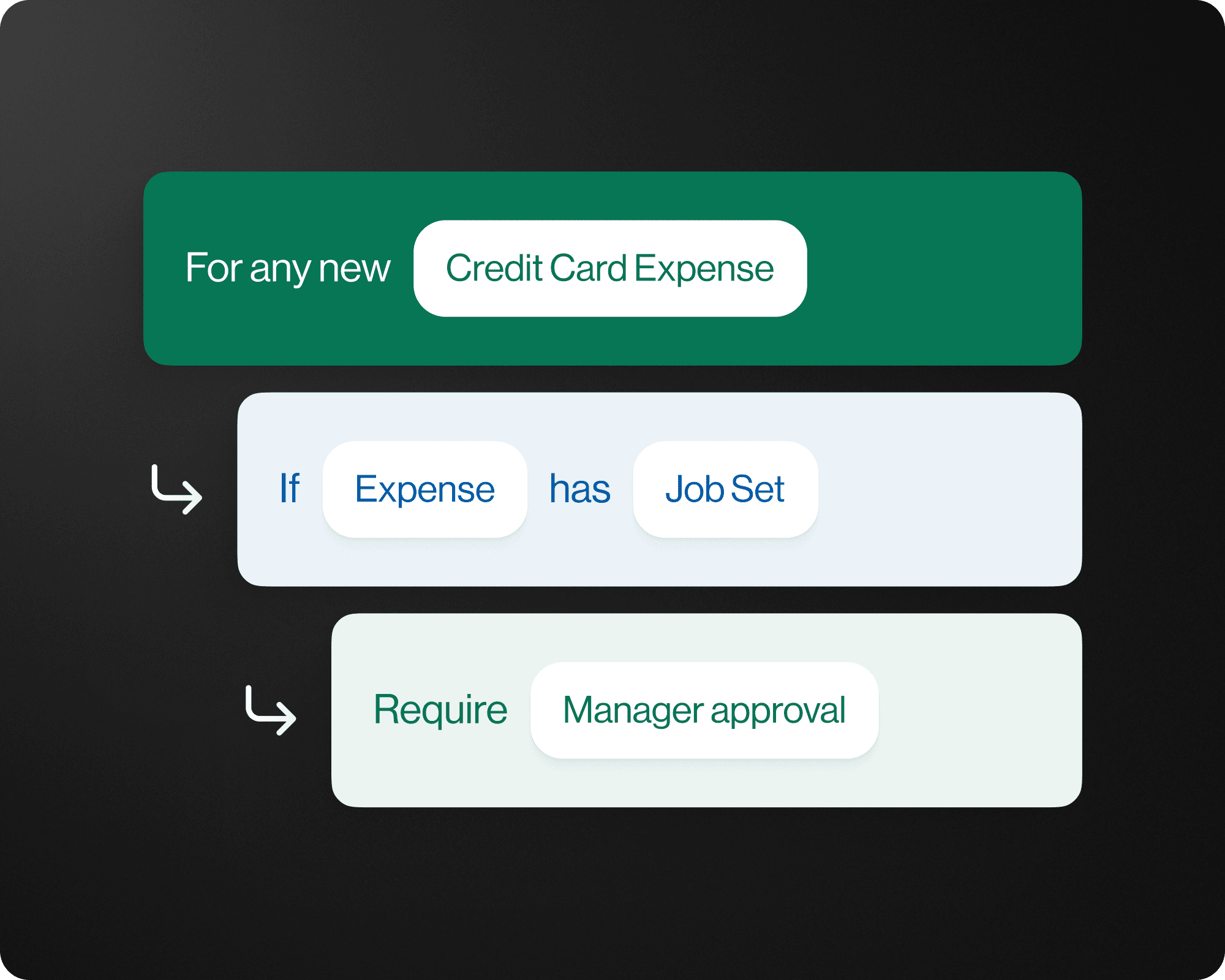
New Approval Condition "Has Job"
Route approvals only when a job is present. Set conditional approval logic based on whether a transaction or invoice is tied to a job, reducing unnecessary approval steps for non-job expenses.
Search and Sort Cards
Find the card you're looking for instantly. Search by cardholder name or card nickname and sort your card list to quickly manage your full card portfolio in one place.
Has Values and Missing Filters for Every Accounting Field
Pinpoint gaps in your coding with precision. A new Filter lets you choose any accounting field by "has value" or "missing value" to quickly surface data to complete or export.
PO Line Item Copying
Stop re-entering the same data. Duplicate any Purchase Order line item with a single click to speed up PO creation for repetitive or recurring line items. Simply add a PO to the invoice and select Add from PO in the line item to open the PO and copy the fields directly into Vergo.
Download Transactions with Selected Filters
Export exactly what you need. When downloading transactions, your active filters carry over so your export matches your current view — no extra cleanup required.
Reconnect Your Card Accounts Easier
Keep your card connections healthy. A new UX makes it easy to reconnect any linked cards that has lost its connection.
Remove Cards With One Click
Keep your card list clean and accurate. Delete and remove card connenctions within Card Management easier than before.
Reimbursements, Mobile Image Management, and AP Improvements
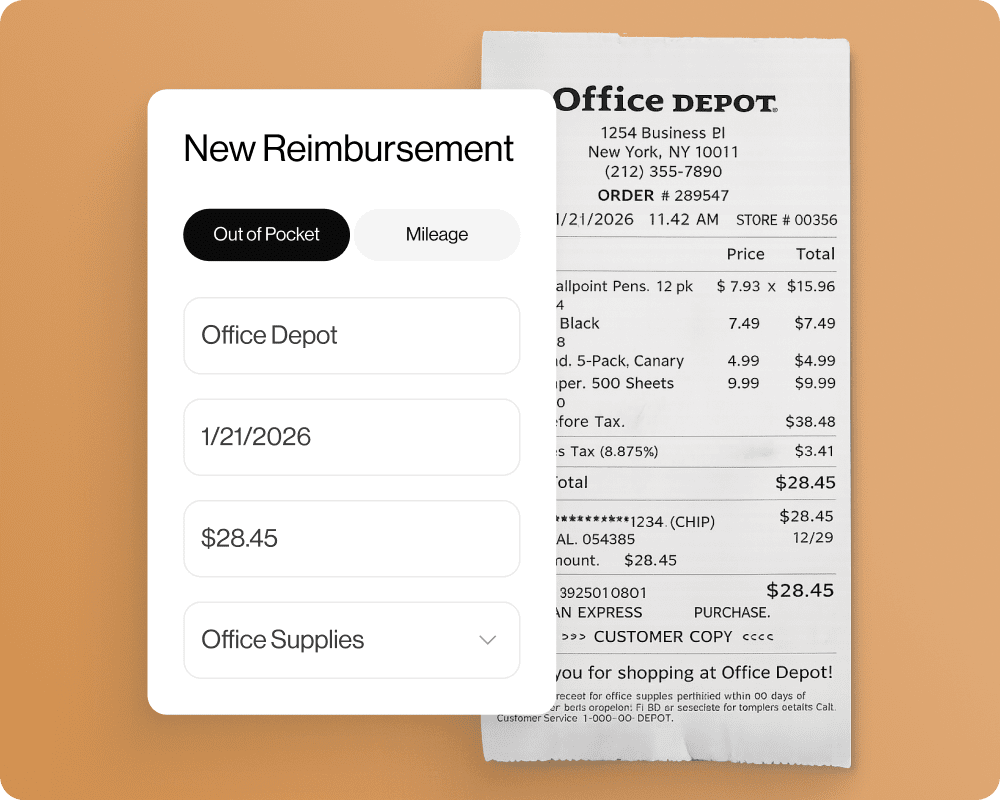
Reimbursable Expenses
Submit and track out-of-pocket expenses seamlessly. Employees can now log reimbursable expenses with full approval workflow support, keeping reimbursements organized and on time.
Out of Pocket Expenses
Track and reimburse every dollar your team spends even when no card is involved. Employees can now submit out-of-pocket expenses directly in Vergo with receipt attachments, job coding, and full approval workflow support. Managers get complete visibility into non-card spend, and finance teams can sync approved expenses to their ERP without manual entry.
Mileage Tracking
Log every mile without the guesswork. Track mileage expenses directly in Vergo with automatic rate calculations so field employees get reimbursed accurately and quickly.
Delete/Manage Mobile Receipts
Remove receipt images directly from the mobile app for faster and more accurate expense documentation.
Add Multiple Attachments to Expenses
You can now add multiple attachments to expenses on Mobile and Web to offer any supporting documentation to the expense.
Transaction Amount from Cardholder Currency
Get accurate amounts every time. Transaction amounts from Credit Cards now pull from the cardholder's currency, ensuring the right figures flow into your books without manual correction.
Universal Accounting Integration, Face ID Login
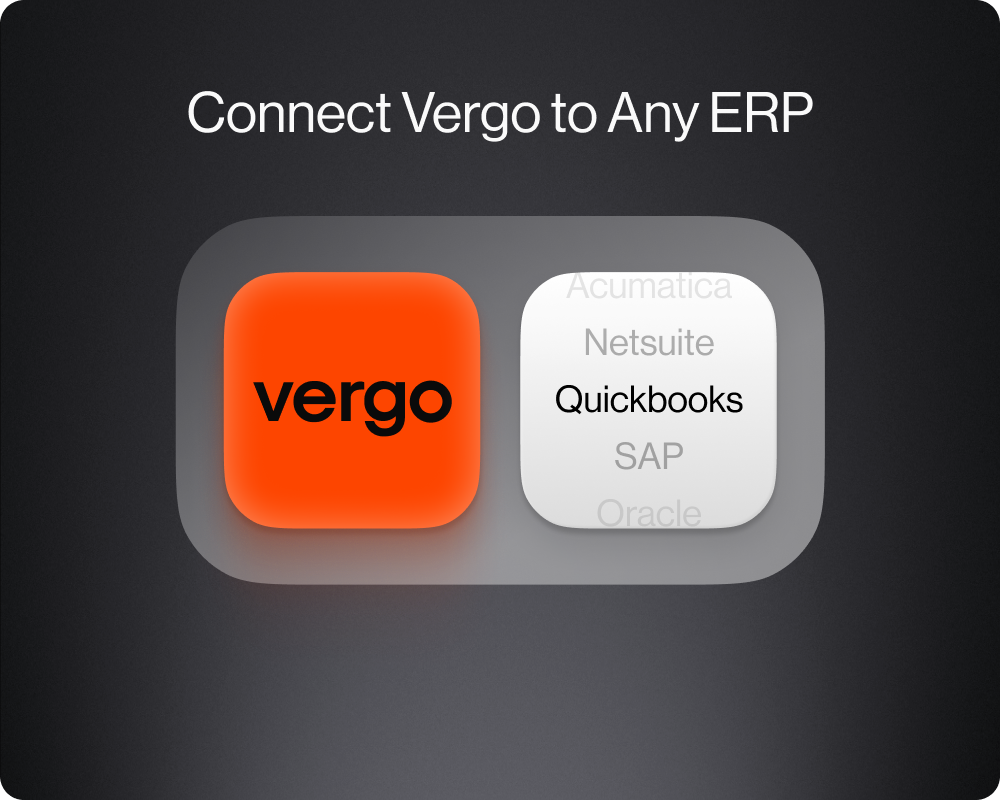
Universal Accounting Integration
Our solution to connect to any Accounting system your team is using. Get the entire power of Vergo with absolutely any software.
Face ID Login
Faster login with Face ID login without having to re-enter your password.
Select Individual Transactions for Approval
Choose a single transaction or batch custom selection to submit for approval.
Reject Reasons Mobile, Speed and Performance

Rejection Reason Mobile
See why a transaction was rejected and pass messages for proper expense approvals.
Speed and Performance
Integration and site wide boost in speed and performance updates.
User Comment Search Improvements
Find a user faster with quicker search and less character when commenting on expenses.
Better Button Layouts
Buttons now are alway visible and fixed to the flyout menu so you can take action from anywhere on the dashboard.
Export POs to Foundation CSV
Purchase Orders are now available in the Foundation export csv file.
Add Comments, Reject Reasons, And Multi Step Approvals
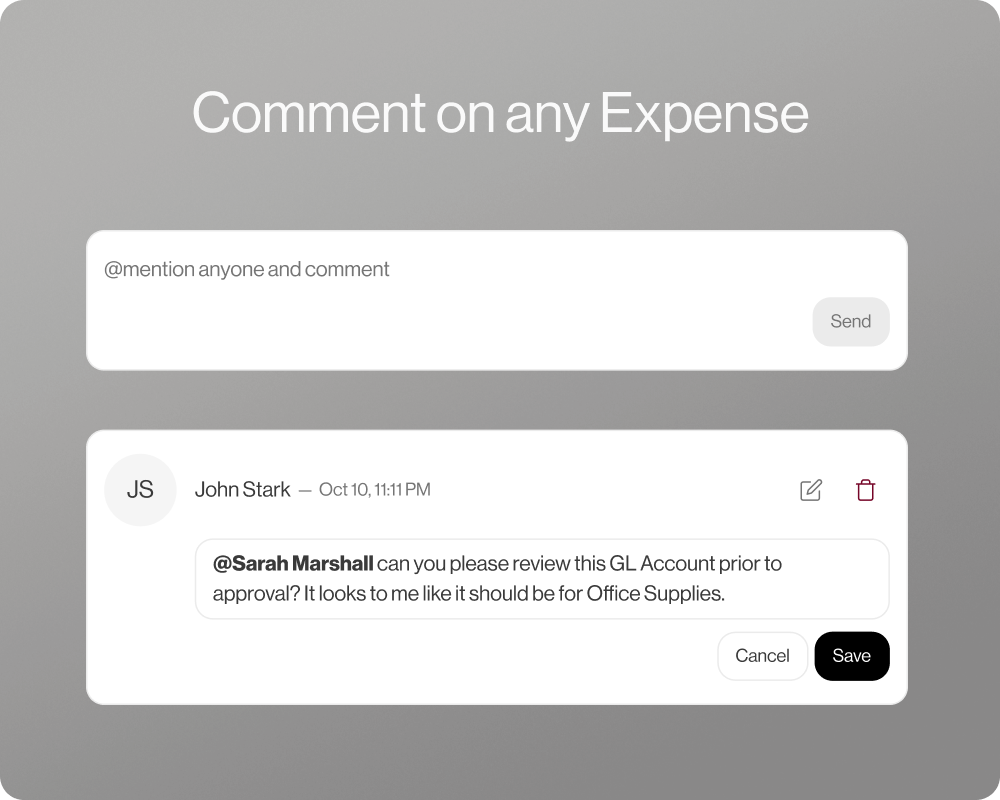
Add Comment to AP & Transactions
Add internal comments to AP invoices and transactions for better communication and audit trails.
Add Rejection Reason to AP & Transactions
When rejecting an item, include a reason for to fix an update expenses faster between your team.
Allow Multiple People to Approve in One Step
Multiple users can now approve the same item simultaneously to speed up workflows.
Allow Profiles to Require or Make Memo Optional
Admins can set memo fields as required or optional depending on company policy.
Bulk Approval for Transactions
Approve multiple transactions at once for faster processing.
Expense Approval Mobile UX
Updated mobile interface for smoother expense approval in app and easier navigation.
Multiline Categorize AP Line Items
Copy Coding to all AP line items in one step for faster workflow.
Send PO Sync for Foundation
Purchase Orders can now be synced automatically to Foundation.
Routing Approvals and Bug Fixes
Route Approval Workflow to PM for Vista
Approval workflows can now route directly to Project Managers in Vista.
Foundation Credit Transactions Auto-sync Fix
Fixed an issue preventing Foundation credit transactions from syncing automatically.
Spectrum Transaction Date & Check Date
Spectrum syncs now include both transaction and check dates for improved tracking.
Advanced Approval Workflows for Transactions, Auto-match Credit Card Merchants to Accounting Vendors
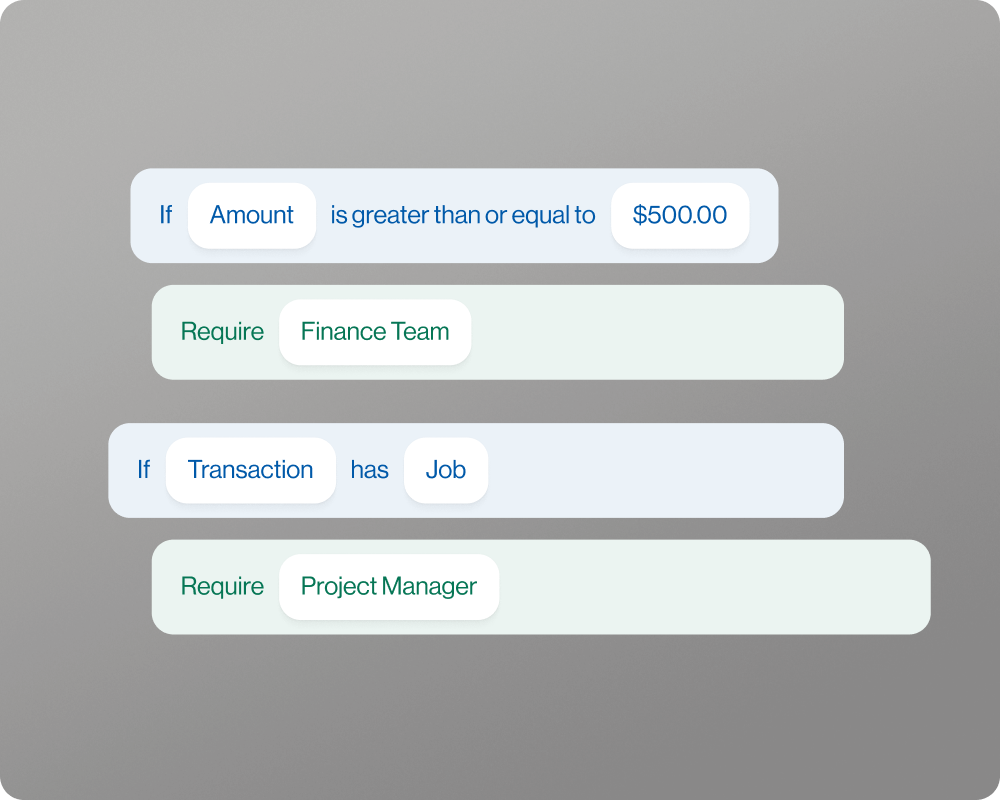
Approval Workflows for Transactions
Create advanced approval workflows to enabled your team to review and sign-off on every transaction.
Map Credit Card Merchants to ERP Vendors
Automatically map credit card merchants to your ERP vendors for cleaner data and faster reconciliation.
New Way to Match Receipt Flow
Improved receipt matching logic makes it easier to attach receipts to the correct transactions when uploading on mobile.
Work Orders in Profiles
Profiles can now include Work Orders, helping connect job data directly to users and roles.
Cost Type added to Mobile App
You can now view and select cost types directly from the mobile app, keeping job costing accurate in the field.
Filter by Job, Hide Columns, Card Connections, and More
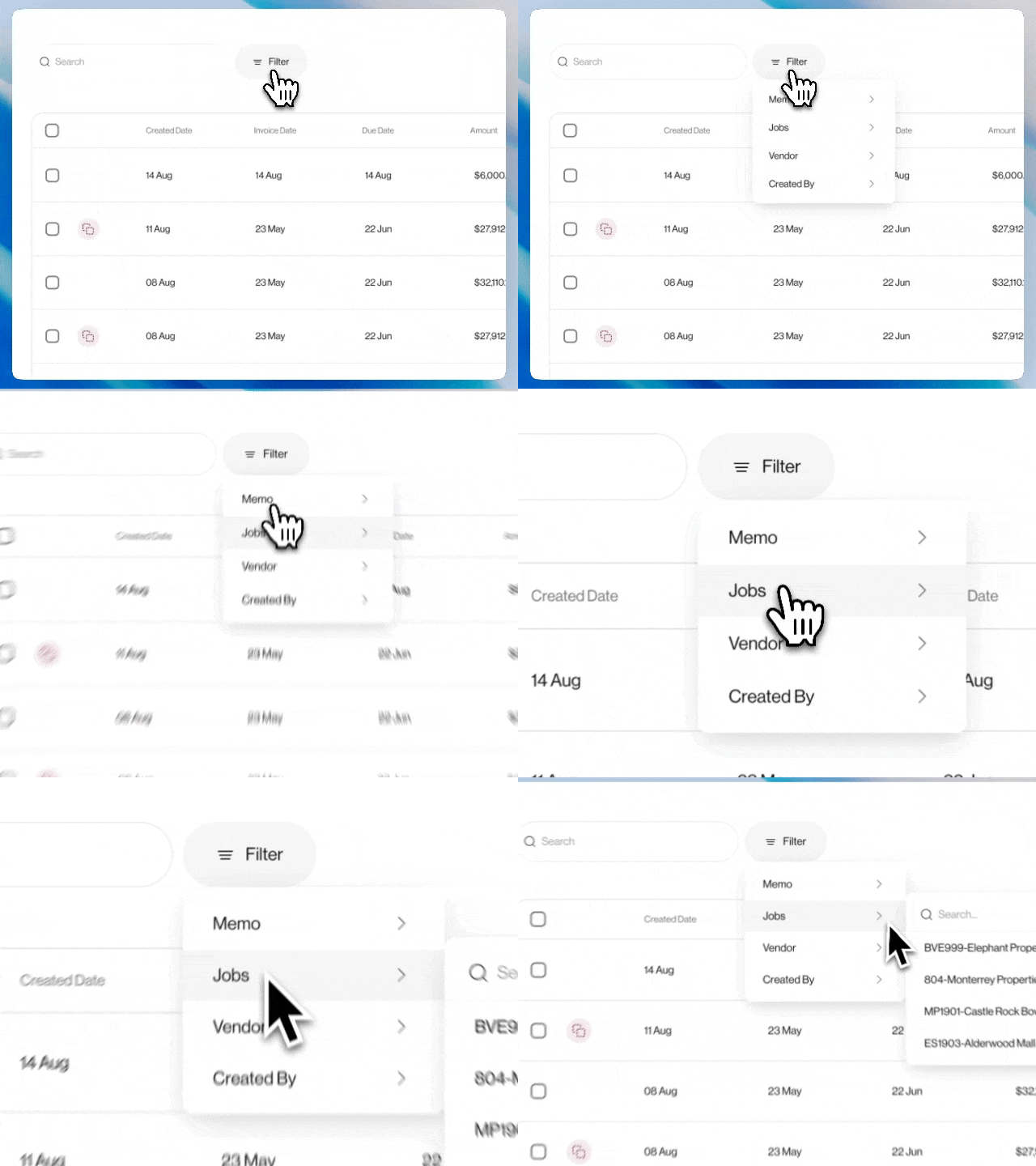
Filter AP Invoices by Job
Quickly filter invoices by job to drill down to the exact job detail you want to work on.
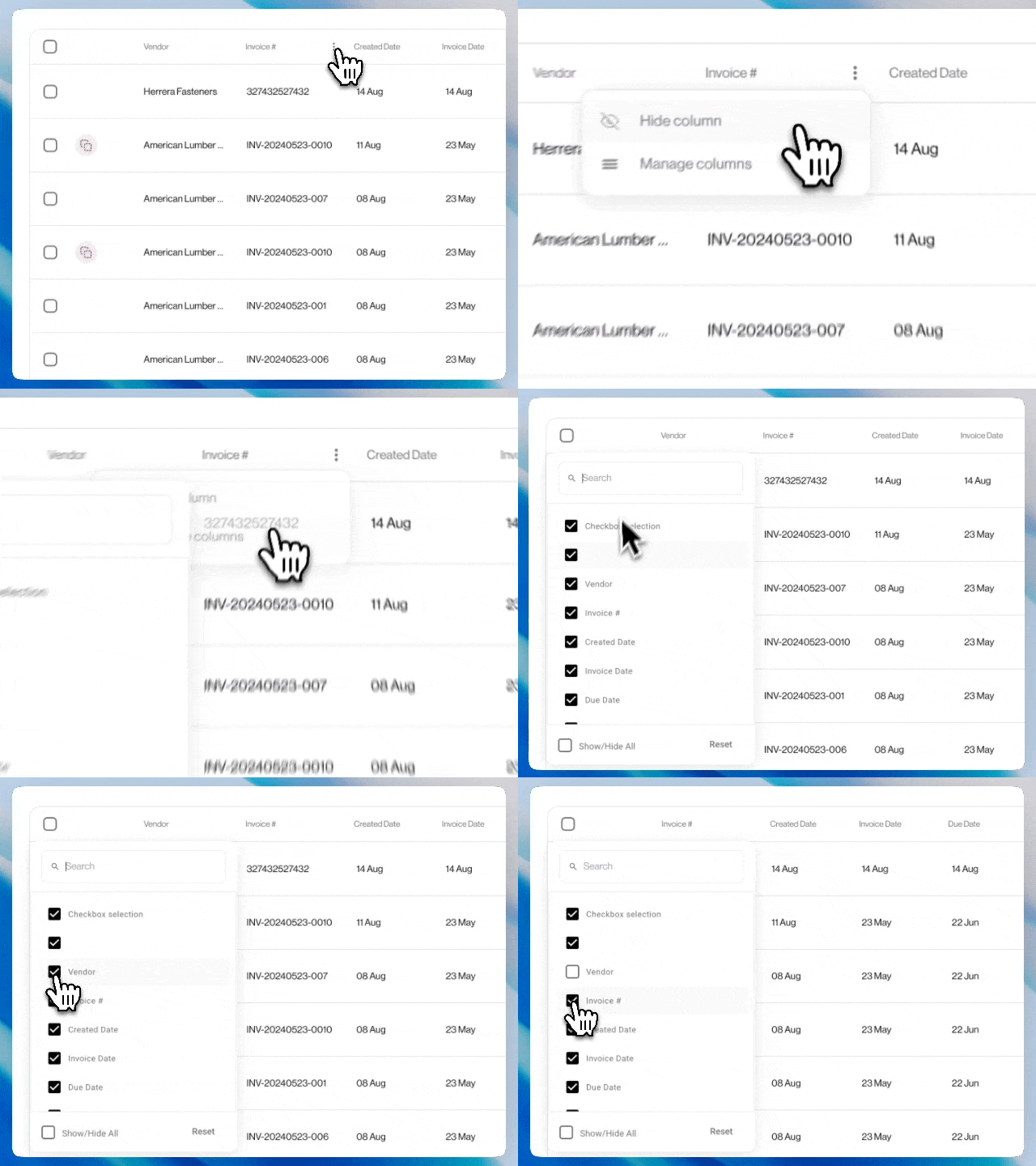
Show/Hide AP Invoice Columns
You can now customize your view by showing or hiding columns to match your workflow.
Invoice Created Date Column
Added invoice created date column for improved sorting and reporting.
Card Connections Tab in Cards Section
A dedicated tab in the Cards section now shows all card connections by network in one place.
PO to Mobile App Options for Vista
Users can now add purchase orders in the mobile app for Vista.
Transactions Date for Foundation
Foundation exports now include transaction dates for better reconciliation.
Update Card Connections
Improved Plaid integration ensures more reliable card connections and fewer sync errors.
Update Credit Invoice CSV Export
Credit invoices in CSV exports now show as negative values in the distribution area for accurate reporting.
Notifications Summary, Pagination, and Mobile Updates
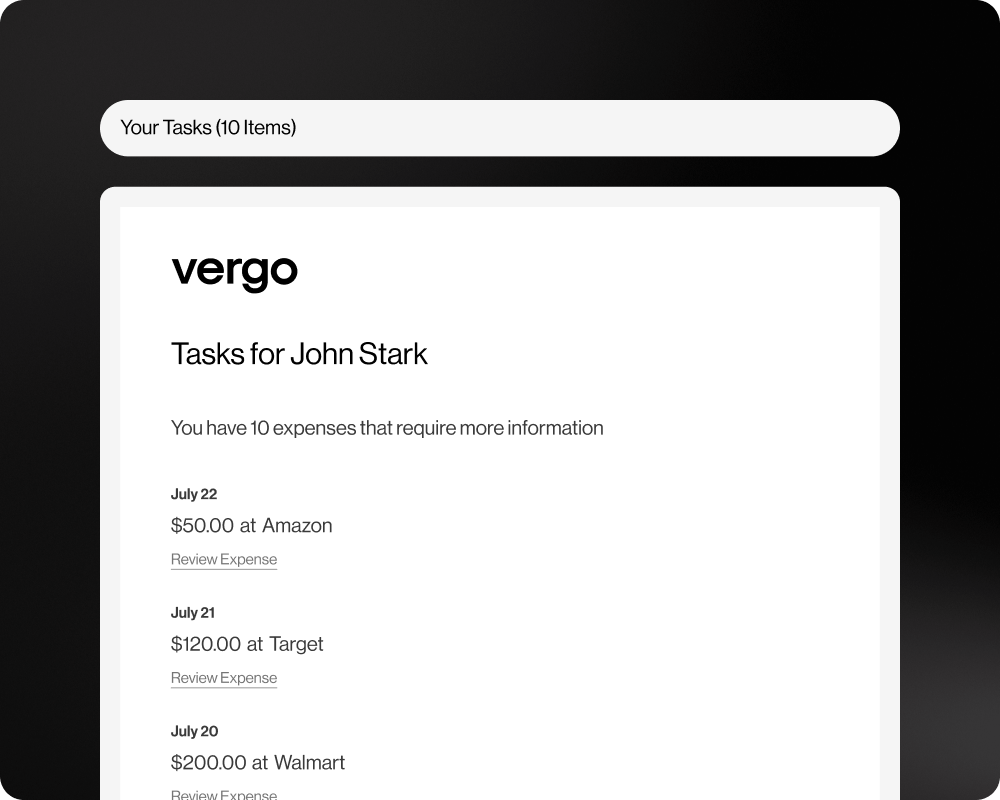
Weekly Digest Notifications
Users will now receive a summary email of the number of Transactions missing receipts. Contact your account manager for more information.
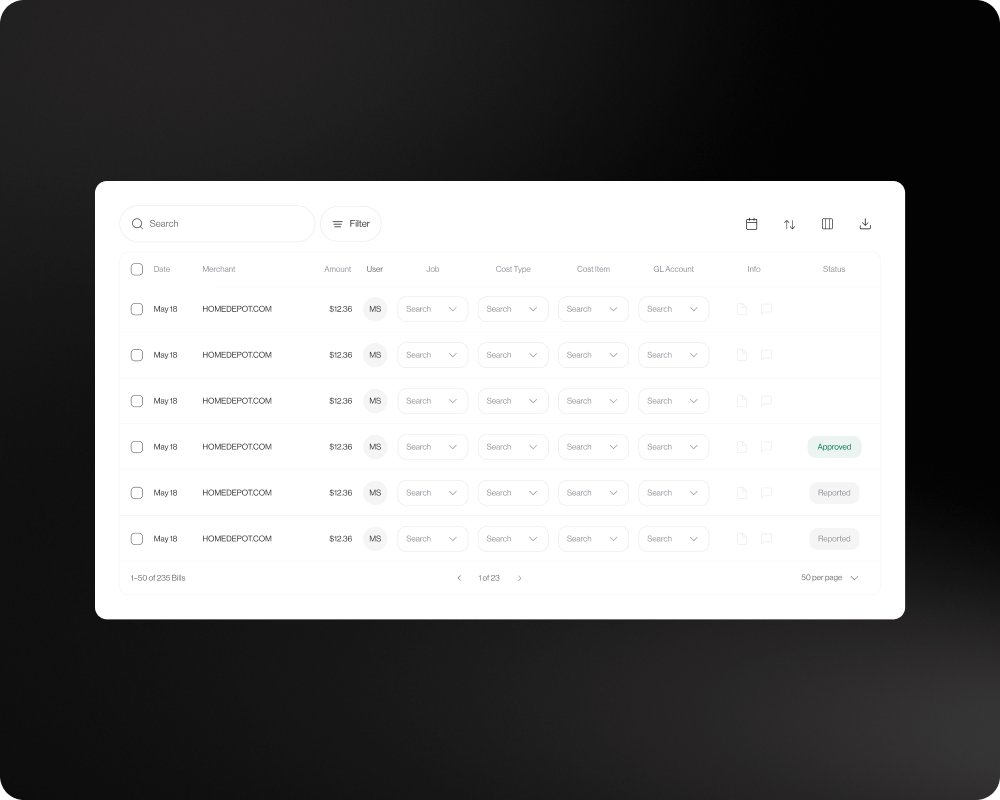
Pagination for Transactions and Invoices
Large lists are now easier to navigate with new pagination controls, allowing you to quickly move between pages without long load times. View 25, 50, or 100 items at once.
Multiple Descriptions for Invoices
Allow users to set the Header and Line Item level descriptions as a global setting independently
Send Invoice Description as Blank
Invoices can now be synced without a description, when left intentionally blank instead of defaulting to Merchant if blank.
Text Notification Link to Transaction in Mobile App
Mobile users receiving SMS spend alerts can now tap a direct link to the related transaction. Please update your app to the latest version to access this feature.
Show Card Name on Transaction
Card names are now displayed directly on each mobile transaction to support users with multiple cards.
Foundation Auto-Sync EQ Fixes
Fixed equipment-related sync errors during Foundation auto-sync.
Import CC Transactions as “Regular”
Customers have an option to bring in CC Transactions as Regular.
Invoice Number Support for 30 Characters Foundation
Foundation integrations now allow invoice numbers up to 30 characters for cleaner imports.
Recent Fields Not Saving in AP Invoice Line
AP Invoice Line now correctly retains recently used fields for quicker data entry.
Select Multiple Canceled Invoices for Bulk Delete
You can now select many Cancelled Invoices to delete all at once instead of one by one.
Invoice Automation & Advanced Syncing
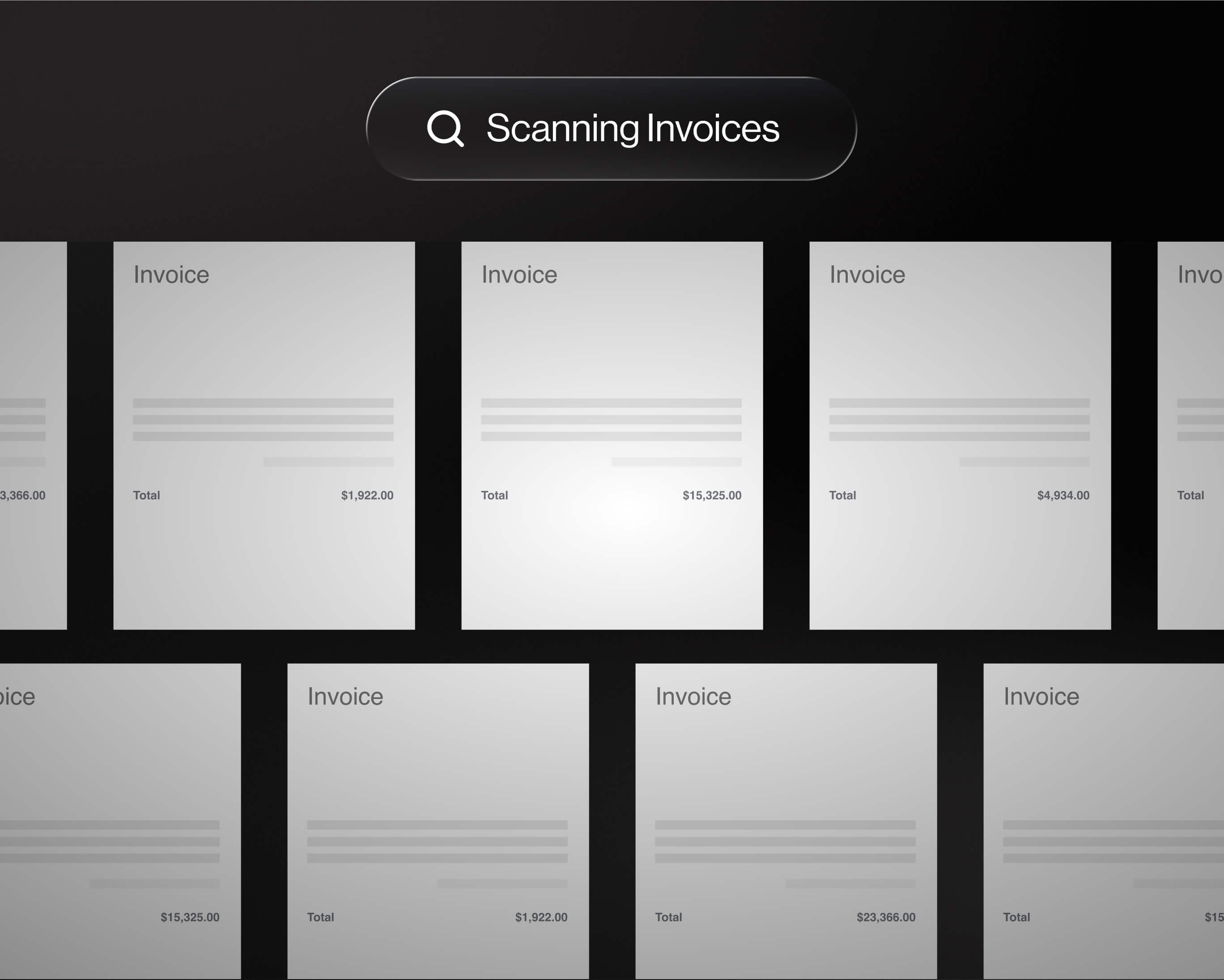
Auto-Match Vendor from Invoice
Vendor names are now intelligently auto-matched to the Vendor in your ERP using OCR and AI for faster processing.
Unapprove Approved Invoices
Need to make a change? Previously approved invoices can now be unapproved when needed.
Service Code Auto-Sync
Items with Service codes now can be pushed via auto sync to Foundation to help reduce manual entry.
PM Auto-Approval
Project Managers of Foundation Jobs can now be added automatically as approvers of invoices, speeding up workflows.
Stay on top of pending transactions, split expenses on mobile, and control access with new admin settings
See Pending Status on Mobile
Easily identify if a transaction is still pending — right from your phone.
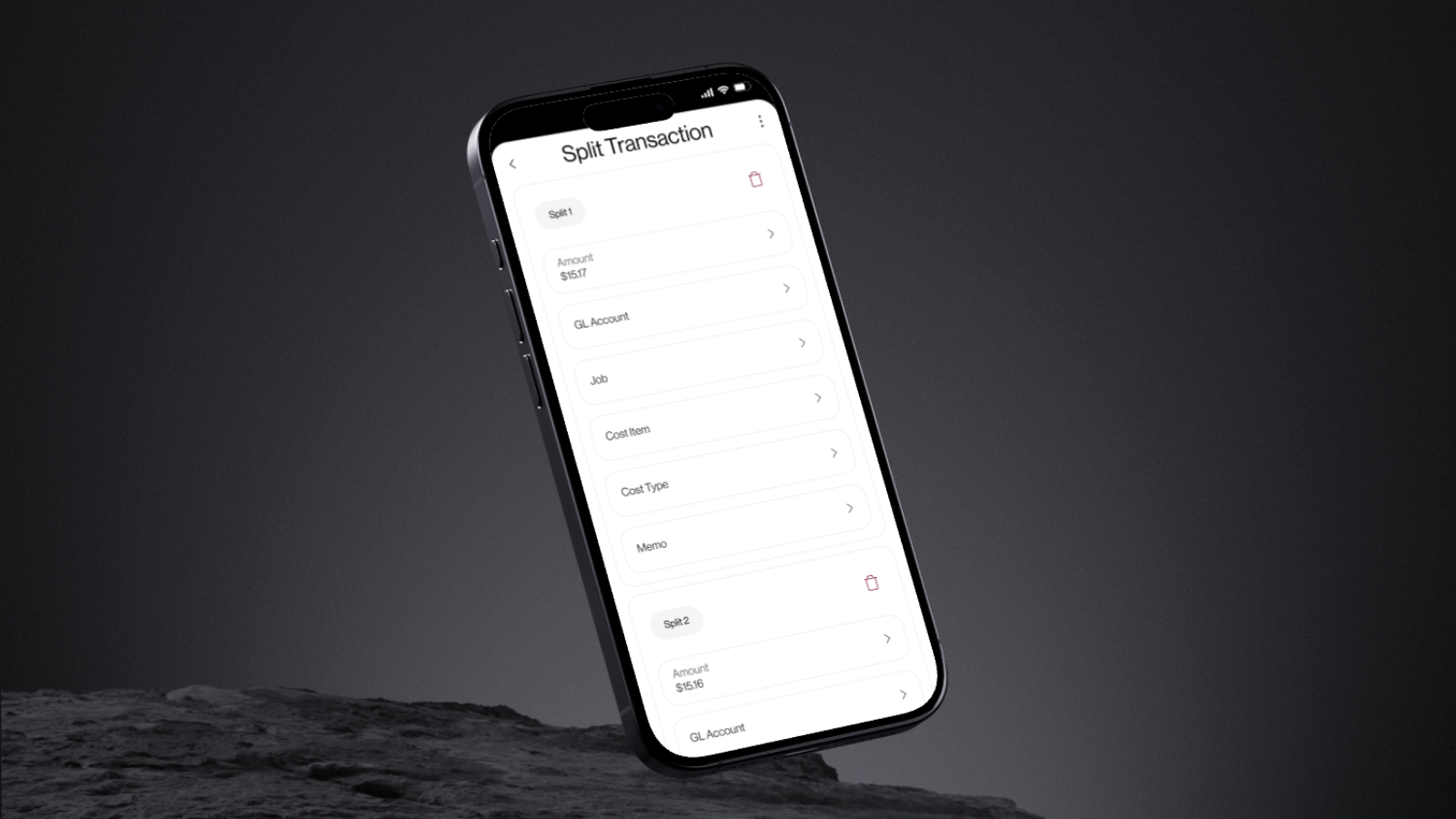
Split Transactions on Mobile
Quickly divide transactions into multiple line items while on the go.
Purchase Notification Improvement
Notifications now trigger accurately at the time of purchase.
Mark as Paid with Credit Card in Spectrum
Transactions now sync and mark as paid with Spectrum using credit card accounts payments module.
Admin-Only Business Settings
Advanced Business Settings are now restricted to Admins for tighter control.
Smarter Syncing & Invoice Controls Now Live

Image Write to Vista
Automatically write back invoice images to Viewpoint Vista for seamless documentation and audit readiness.
Service Code Auto-Sync
Service codes now sync automatically to reduce manual entry.
PM Auto-Approval
Project Managers can now auto-approve invoices in Foundation, speeding up workflows.
Auto-Match Vendor from Invoice
Vendor names are now intelligently matched from invoice data for faster processing.
Unapprove Approved Invoices
Need to make a change? Previously approved invoices can now be unapproved when needed.
User Experience Updates

See Final Approver of an Invoice
Approval screen now shows the name of the person who was last to approve each invoice for clearer audit tracking.
Improved Column View Saving
Your selected column layout now stays saved across sessions for a more consistent experience.
Filter by Card Nickname
Easily filter the Transaction Dashboard using card nicknames for quicker lookup.
Send Job to Invoice Header (Foundation)
Job information now populates in the invoice header when syncing to Foundation.
Missing GL Account Indicator
Transactions missing GL account codes now surface clearly for faster reconciliation.
Rules & Automations
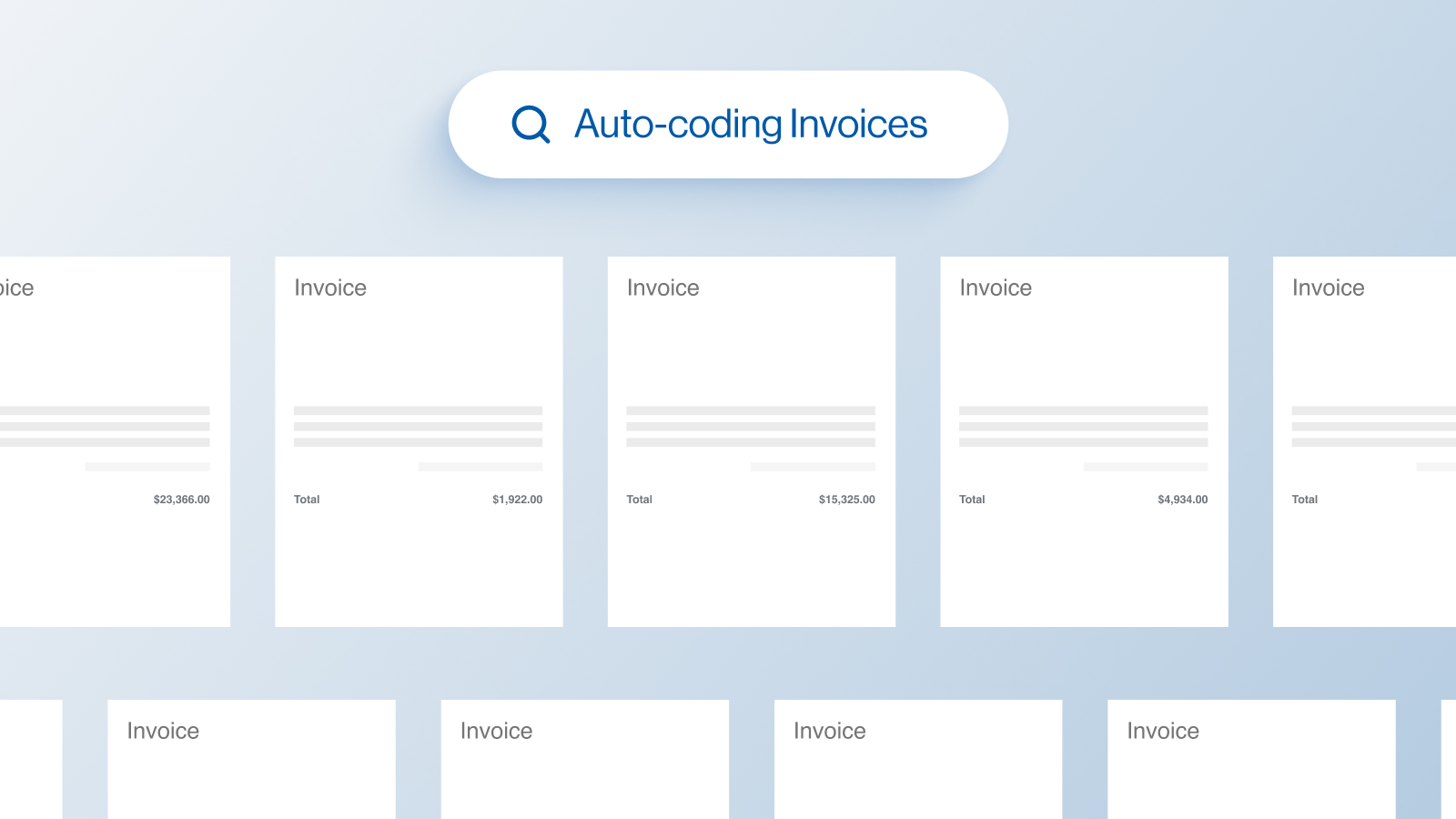
Rules & Automations
Introduced customizable rules and automation capabilities to streamline repetitive tasks and improve consistency.
Choose Any GL Account Date
You can now select any date when assigning a GL account—offering more flexibility for backdating or correcting entries.
Due Date Picker Input Update
Enhanced the due date picker for more accurate and user-friendly input when setting invoice deadlines.
Multiple Profile Roles, Search by Invoice Number, Advanced Filtering

Vista Syncing
Improved syncing process for sending data from Vergo to Vista with greater reliability.
Send Units to Foundation
Line item units now sync properly to Foundation, ensuring complete invoice detail.
Discount Date & Discount Amount for Foundation
Now includes discount date and amount when exporting to Foundation for better AP visibility.
Payment Type Prepaid CC Foundation Sync
Prepaid credit card payment types now sync correctly with Foundation’s format.
Scan Invoice Link for Foundation
Each synced invoice includes a direct link to its scan for faster reference in Foundation.
Modify Header Memo
You can now edit the header memo field to better customize invoice information.
Filter by Rejected Invoices
Easily filter transactions to only show rejected invoices for review or reprocessing.
Invoice Number Validation when Syncing
Added checks to prevent syncing invoices with missing or duplicate numbers.
Vendor Terms for Foundation
Vendor payment terms now sync to Foundation to maintain contract accuracy.
Add Multiple Roles to a Profile
Users can now be assigned multiple roles for more flexible access control.
Multi Cancel Rejected Invoices
Cancel several rejected invoices at once, saving time on bulk cleanup.
Search by Invoice Number
Quickly locate invoices using their number via a new global search field.
Show Roles and Values of Profile
User profiles now display assigned roles and values for easier permission management.