



Handoff in the context of construction refers to the process of transferring responsibility and information from one team or individual to another during the various stages of a project. This can occur when one trade completes their portion of work and hands it off to the next trade to continue the project. Effective handoff is crucial in ensuring that the project runs smoothly and that there are no delays or miscommunications between different parties involved in the construction process.During a handoff, it is important for all parties involved to clearly communicate any necessary information, such as project specifications, timelines, and any potential issues that may arise. This helps to ensure that the next team or individual can seamlessly pick up where the previous team left off and continue the project without any interruptions. Proper documentation and

What is Handoff?
Suffering from credit card
receipt chaos?
Give your accounting team an easier way to collect accounts payable data from project managers and field teams.
expense management
Connect any credit card
Connect any credit card to our platform and collect receipts via our modern mobile app, sync with your ERP instantly and close your books faster.

ERP integrations
Industry ERP integrations
Integrates seamlessly with Viewpoint Spectrum, Viewpoint Vista, Foundation Software, Sage, Acumatica, Quickbooks, CMIC and many more.

Automation
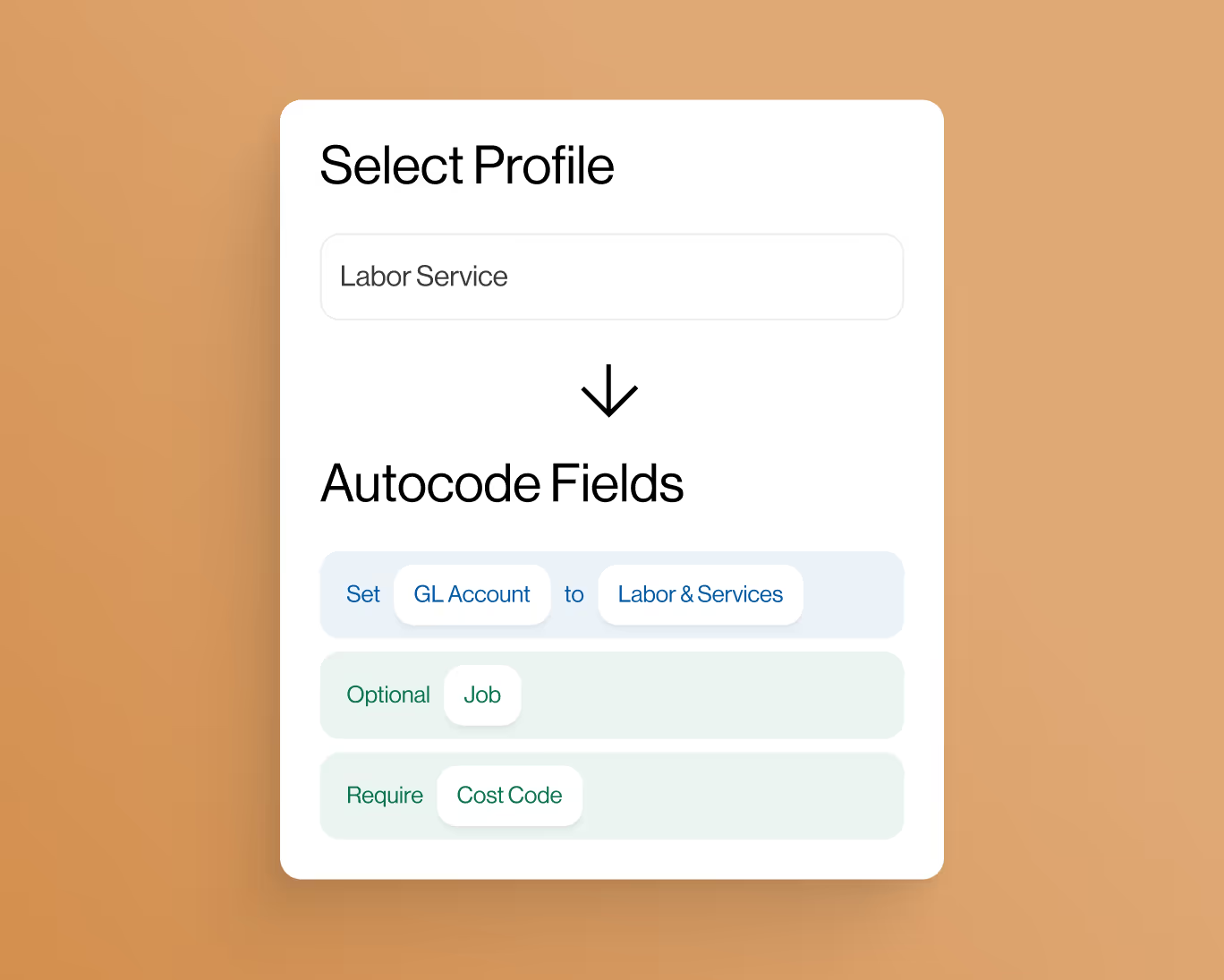
Automate project coding
Create custom AI-Powered automation rules to put your project accounting on auto-pilot.
controls
Eliminate coding errors
Create custom enterprise-grade controls to eliminate data entry errors from the field.

Approvals
Approvals by project
Setup robust approval workflows by project manager, team manager or value amounts.

ai-Powered
AI-Powered automations
Auto-match receipts directly to credit card transactions for complete automation.


